The problem behind the system.
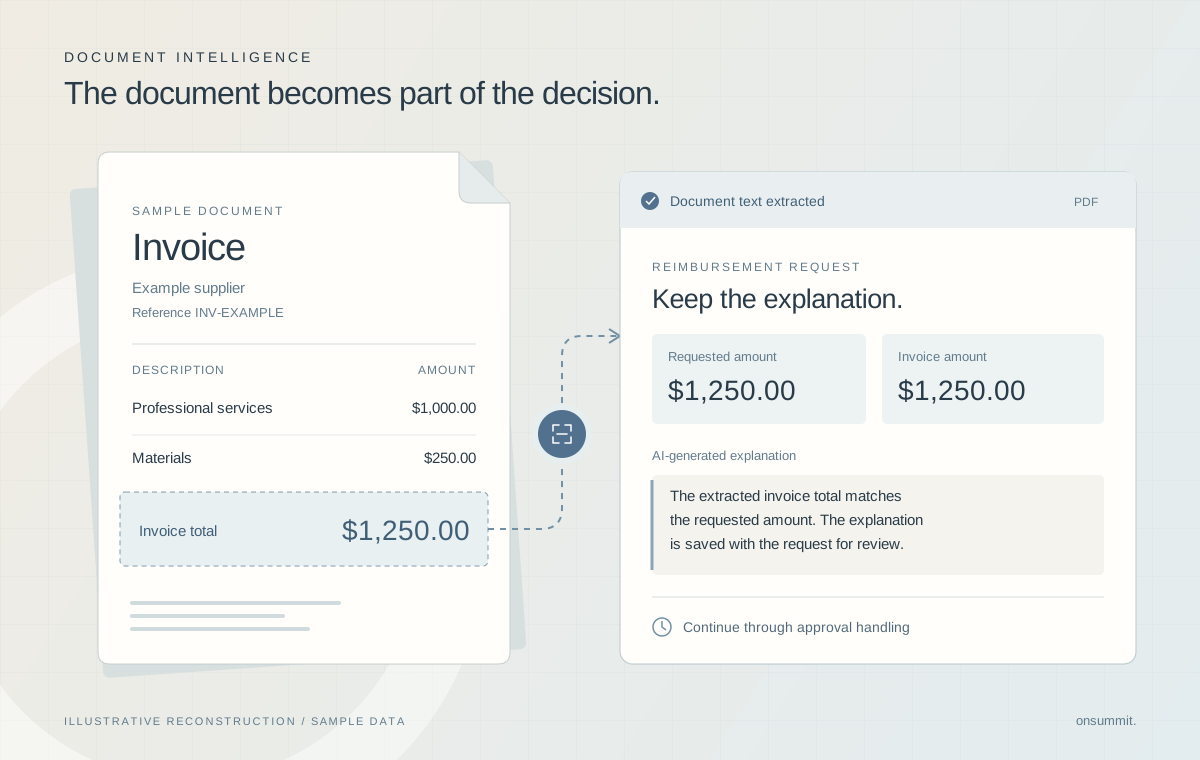
Reimbursement requests needed supporting documents and a way to assess whether the invoice amount matched the requested amount. The document could not remain disconnected from the request, and a background extraction process needed somewhere to record its progress and results. Customer and vendor submission paths also had to connect to the existing approval workflow.
- Document extraction completes asynchronously rather than inside one interactive submission.
- A document can produce multiple pages of extraction results that must be assembled.
- An AI review needs the requested amount and the document text together, with its explanation retained on the request.
Team contribution
The project team built the community and the invoice-reading and approval workflow through a consulting partner. The team's work connects Salesforce to Amazon S3 and Textract through Apex and configures Prompt Builder within the business process. Amazon provides document extraction and Salesforce provides the managed prompting capability; the custom work is the integration, orchestration and application behavior around them.
The decisions that shaped the work.
Separate submission from document processing.
A user-facing request and a cloud OCR job have different lifecycles. The extraction can still be in progress after the initial request has been submitted.
The integration persists a job record and uses scheduled, queueable Apex to poll for results. Completion, failure and timeout states are represented in Salesforce. This separation allows processing to continue without treating the upload interaction as the full workflow.
Design consideration. The implementation uses polling, which introduces a delay between extraction completion and result collection. It also requires explicit handling when a job does not finish successfully.
Give the review the relevant context.
Checking an invoice amount requires both what the requester is asking for and what the document says. Text extraction alone does not make that comparison.
The Prompt Builder workflow supplies the requested amount and related extraction results, then writes the explanation and review flags back to the request. The AI step has a specific responsibility within an established operational process.
Design consideration. The output remains a generated assessment. The workflow interprets the response using a defined phrase, so prompt wording and response handling are coupled.
Keep document handling connected to approvals.
Customer and vendor requests have different submission contexts, while both need supporting files and a path into approval handling.
Screen Flows guide those submissions and associate documents with the request. The extraction service assembles paginated OCR results, and review/validation flows connect the resulting state to approval behavior. Callout-mock tests exercise submission and multi-page text assembly.
Design consideration. The stored text is bounded by the receiving field’s capacity. Documents and failed extraction states still need operational handling; a successful API integration does not imply every document can be reviewed automatically.
What the system delivers
- Guided customer and vendor submissions with supporting documents.
- Background reading of multi-page invoices, with processing status recorded.
- AI-assisted amount checks with an explanation saved on each request.
Technical implementation
- Salesforce Flow provides submission and orchestration; a platform-event-triggered path invokes Apex for document processing.
- Apex HTTP callouts integrate Amazon S3 and Textract, with scheduled/queueable processing for result collection.
- A separate Flow invokes Salesforce Prompt Builder for the amount comparison and saves the generated response.