The problem behind the system.
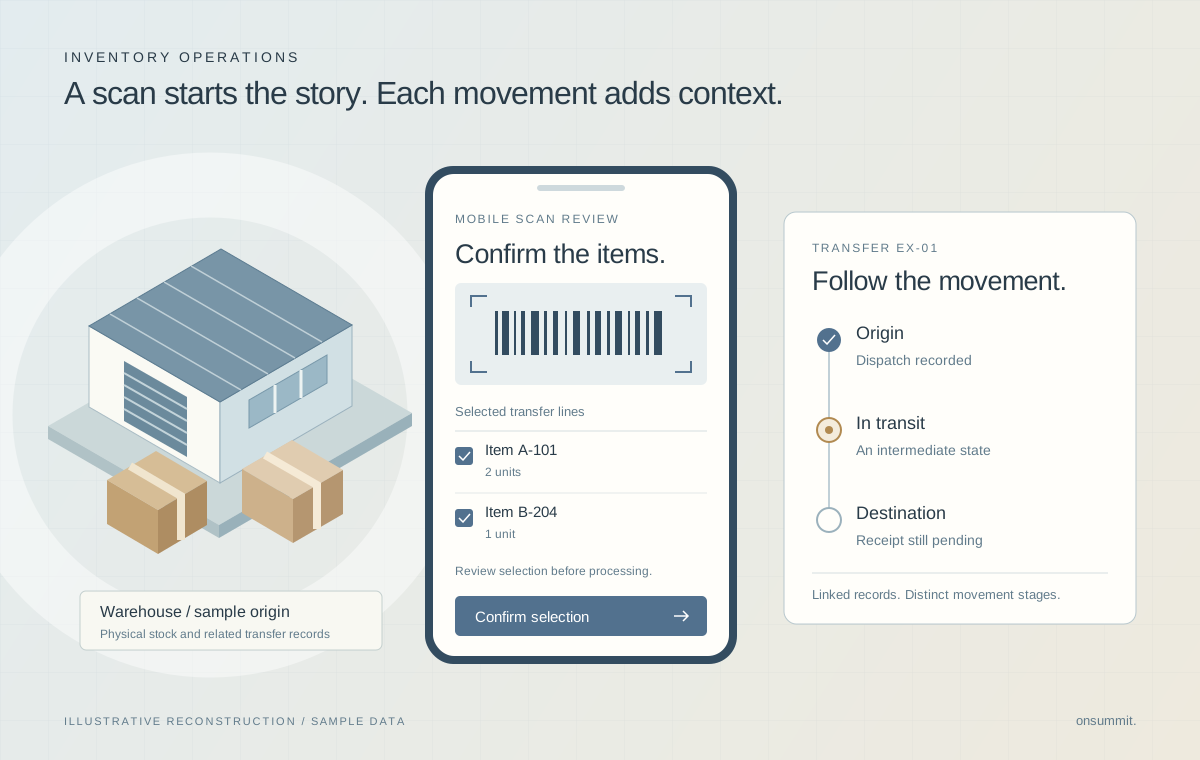
A retail and service business moves stock between locations and connects those movements to purchasing and field work. A transfer can be dispatched, in transit or received, with separate accounting records behind each stage. Staff need a way to understand that journey and review the lines they are processing, especially when records are corrected or removed.
- Origin, transit and destination movements must remain distinguishable and linked to the same transfer.
- Mobile scan input can contain repeated values or retain an earlier batch when a screen is revisited.
- Stored quantities and completion flags can become inconsistent with the movement records they reference.
Team contribution
The delivery team built the custom transfer model, application components and movement automation within a wider retail engagement. The custom layer connects inventory operations with the existing accounting and service environment. Accounting Seed supplies the underlying inventory and accounting primitives. The retail ERP migration case describes a separate finance workstream in this same engagement.
The decisions that shaped the work.
Model the journey, not just the final flag.
A transfer status alone cannot explain which movements occurred at the origin, in transit or at the destination.
Transfer headers carry the location and operational context. Their lines link related inbound and outbound movements. Separate Flows handle origin-to-transit and transit-to-destination processing around the accounting platform’s inventory model.
Design consideration. Explicit stages create more relationships to maintain. Their value is preserving the meaning of each movement instead of treating dispatch and receipt as interchangeable events.
Separate scanning from confirmation.
Fast input is useful only if the operator can understand what will be processed. Repeated scans and restored screen state can confuse the selected batch.
The mobile component collects barcode values, removes duplicate scans and loads line details for review before the user confirms processing. It clears the previous batch when the screen is entered again.
Design consideration. The review step adds an interaction. It gives the operator a deliberate checkpoint, while native barcode availability remains dependent on the device and application environment.
Reconcile against the underlying records.
A movement may be corrected or deleted after a transfer line has stored a quantity or completion state.
Recalculation checks whether referenced movements still exist before deriving transfer quantities and completion. A GraphQL-backed component assembles transfer-line and movement collections for a connected operational view.
Design consideration. The interface retrieves bounded collections. Its query limits remain a constraint for larger transfers; the architecture does not imply unlimited history or a measured reconciliation-speed improvement.
What the system delivers
- Transfers linking stock locations, operational work and accounting records.
- Mobile barcode scanning with duplicate removal and a confirmation step.
- A combined view of transfer lines, incoming stock and outgoing stock.
Technical implementation
- Custom Salesforce objects represent transfer headers and lines alongside accounting inventory records.
- Lightning Web Components use native mobile barcode APIs, JavaScript and Salesforce UI APIs for scan collection and review.
- Salesforce Flow coordinates movement and recalculation; GraphQL supplies related records to the movement interface.